ChatGPT Images 2.0
AI That Thinks Before It Creates
Reasoning-driven generation, precise in-place editing, and professional text rendering for production-standard visuals.
Loading comparison...
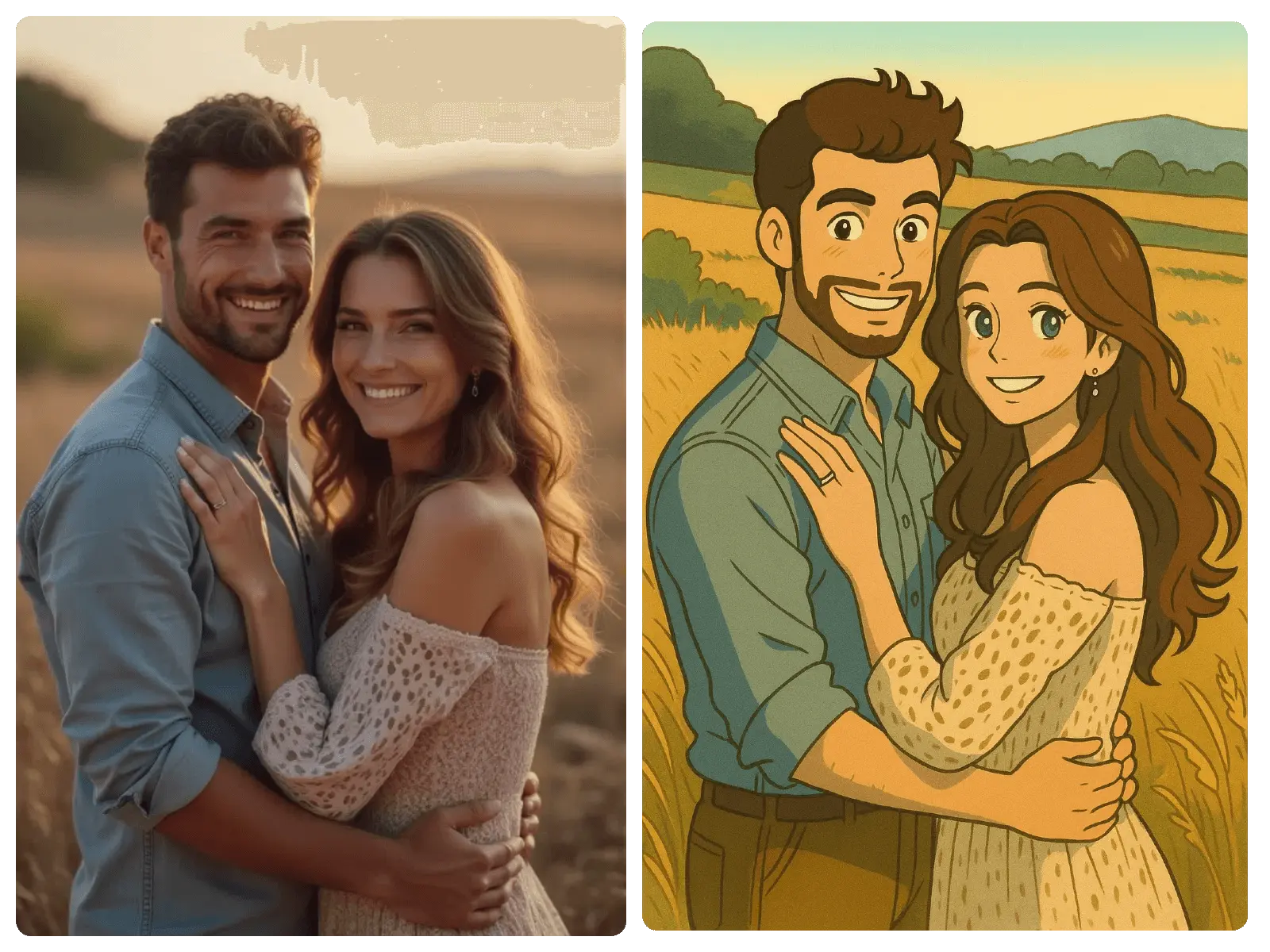
Photo to Anime Style
Transform real photos into stunning anime artwork
Loading comparison...
Smart Background Change
Replace backgrounds with AI precision
Loading comparison...
Day to Night Transformation
Transform daylight scenes into magical nighttime views
Create with Images 2.0
Experience next-generation AI image creation and editing powered by Images 2.0. Generate professional visuals with reasoning-driven precision, reliable text rendering, and consistent quality across iterations.
Experience Images 2.0 in Action
Stronger Instruction Following, Less Drift
Images 2.0 delivers significantly stronger instruction-following than previous versions. Complex multi-part prompts produce faithful results with reduced drift, handling dense compositions, small text, icons, and UI elements that often break earlier image models.

Multi-Image Consistency for Characters and Brands
Maintain character faces, clothing details, and brand elements consistently across sequences. GPT Images 2 preserves identity-sensitive details reliably—essential for storyboards, ad campaigns, game character sheets, and serialized content requiring visual coherence.

Precise In-Place Editing and Background Replacement
Modify specific parts of an image without disrupting the rest. Images 2.0 supports area selection, partial regeneration, and background replacement while preserving important details like facial likeness, product identity, and compositional integrity.

Interactive Refinement with Conversational Editing
Refine images step by step through natural language instructions. Chat GPT Image 2.0 treats creation as an interactive creative workspace—adjust lighting, swap elements, change styles—maintaining visual coherence across each revision without restarting.

Professional Text Rendering for Design Work
Images 2.0 renders small text, dense typography, labels, and layout elements with significantly higher fidelity. Generate marketing posters, app UI concepts, packaging designs, and brand assets where readable text is not optional but essential.
How to Use Images 2.0
Choose Your Mode
Start with text-to-image or upload existing images for precise editing with ChatGPT Images 2.0.
Describe Your Vision
Refine and Edit
Export Your Work

Why Choose Images 2.0
Reasoning-Driven Creation
Images 2.0 features a thinking mode that plans composition, checks context, and verifies details before generating—producing intentionally designed outputs rather than random samples.
Precise In-Place Editing
Modify specific regions without disrupting the rest of the composition. GPT Images 2 preserves identity-sensitive details across revisions with reliable area selection and partial regeneration.
Professional Text Rendering
Render labels, posters, UI mockups, and dense typography with high fidelity. Images 2.0 handles small text, icons, and structured layouts where readable text is essential.
Multi-Image Consistency
Maintain character identity, brand elements, and visual style across sequences. Chat GPT Image 2.0 keeps faces, outfits, and details stable for storyboards and campaign assets.
The Power of Images 2.0
A reasoning-driven image system built as a native multimodal model. Images 2.0 plans, verifies, and creates with purpose—not just pattern matching.
What Images 2.0 Users Say
Discover how designers, marketers, and creative teams are using Images 2.0 to produce reliable, production-grade visuals with stronger control and fewer iterations.
"Images 2.0 finally solved our text-in-image problem. We generate marketing posters with readable labels and UI mockups with actual typography—something earlier AI tools consistently failed at."

"The thinking mode in GPT Images 2 changed how we approach creative briefs. It plans the layout before rendering, so the first output is usually 90% of the way there. Far fewer retries needed."

"Editing precision is where Images 2.0 really stands apart. I can swap a background or adjust lighting on a product shot without the model changing the product itself. That reliability matters for e-commerce."

"We use Chat GPT Image 2.0 for storyboard concepts and character consistency across scenes. The identity preservation is noticeably better than anything we used before in production."

"Multilingual support was the deciding factor for our agency. Images 2.0 handles Chinese, Arabic, and Japanese text cleanly—critical for global campaigns where localized visuals are non-negotiable."

"The instruction-following in GPT Images 2 is noticeably stronger. Complex multi-part prompts that used to cause drift now produce exactly what we describe. It feels like working with a visual collaborator."

Frequently Asked Questions
What is Images 2.0 and how does it differ from earlier versions?
Images 2.0 is OpenAI's next-generation image creation and editing system, built as a native multimodal model rather than an external add-on. Unlike GPT Image 1.0 and 1.5, Images 2.0 features a reasoning layer that plans compositions, verifies details, and can reference live information before generating. This results in significantly stronger instruction-following, more reliable text rendering, and better editing precision across complex workflows.
Can I use Images 2.0 for commercial and professional projects?
Yes. Images 2.0 is designed for production-grade work including marketing campaigns, product mockups, social media assets, brand design, storyboards, and UI concepts. The model prioritizes fidelity, consistency, and revision speed—qualities that matter most in professional and enterprise environments where brand reliability is critical.
How does the editing capability in Images 2.0 work?
Images 2.0 supports precise in-place editing with area selection and partial regeneration. You can modify a specific part of an image—such as adjusting lighting, swapping backgrounds, or changing details—without disrupting the rest of the composition. The system preserves identity-sensitive details reliably, making it trustworthy for iterative design workflows and character-consistent revisions.
What makes Images 2.0 better at rendering text in images?
Text rendering is one of the most significant improvements in Images 2.0. The model handles small text, dense typography, iconography, labels, and layout elements more faithfully than earlier AI image generators. This makes it viable for poster design, packaging concepts, app UI mockups, signage, and branded graphics where readable text is essential rather than optional.
Does Images 2.0 support multiple aspect ratios and output formats?
Yes. Images 2.0 supports a wide range of aspect ratios including standard formats like 1:1, 4:3, 16:9, as well as extreme ratios like 3:1 and 1:3 for banner-style or tall portrait layouts. This flexibility eliminates the need for post-generation cropping and makes the tool practical for platform-specific content creation across social media, print, and web.
How fast is image generation with GPT Images 2?
GPT Images 2 is optimized for rapid iteration with fewer retries needed per concept. The system delivers results quickly enough for interactive creative workflows, where you refine outputs step by step rather than waiting between generations. Combined with the thinking mode's ability to plan before generating, the practical speed improvement is substantial compared to previous versions.
What is the 'thinking mode' in Chat GPT Image 2.0?
The thinking mode in Chat GPT Image 2.0 allows the system to reason through a request before generating. It can plan layout and structure, check context, verify factual details, and in some cases use web search or uploaded documents during the creation process. This reduces hallucinated design choices and produces outputs that feel more grounded and intentionally composed.
Start Creating with
Images 2.0
Experience reasoning-driven image generation. Create and edit professional visuals with precise control, reliable text rendering, and consistent results.